
FMCSA Removes 133 ELDs and What Fleets Need to Do Next
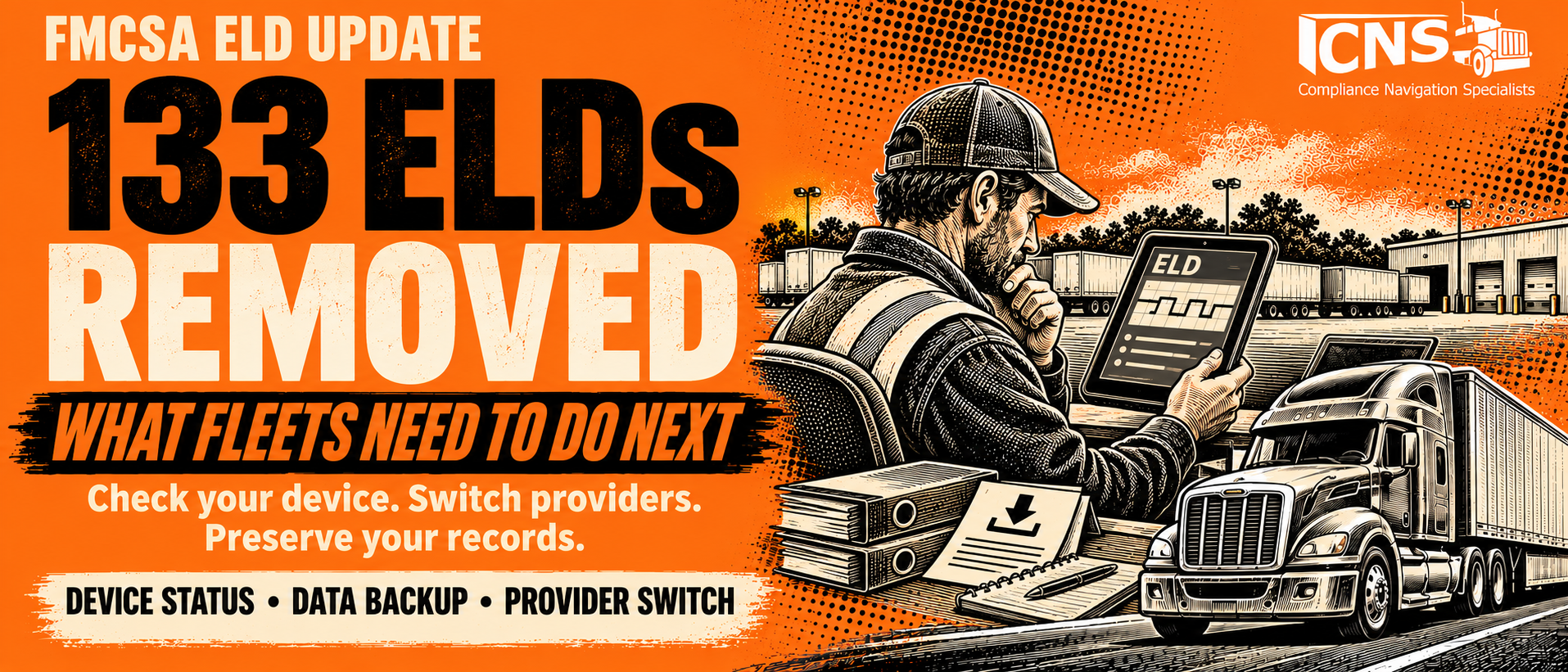
How to check your device, switch providers, and preserve the records your fleet still needs.
An ELD provider change can affect far more than tomorrow’s driver logs. It can interrupt roadside inspections, separate your fleet from years of mileage records, and leave your safety team rebuilding information during an audit.
On November 12, 2026, the U.S. Department of Transportation announced the removal of 133 electronic logging devices from FMCSA’s registry: 121 agency revocations and 12 voluntary self-revocations. DOT described it as the agency’s largest ELD revocation action.
For affected fleets, the immediate priorities are to verify the exact device, follow FMCSA’s transition instructions, and preserve existing records before losing access to the old platform.
What happened and why the distinction matters
Although commonly called the “approved ELD list,” FMCSA’s list contains registered, self-certified devices. A listing is not a federal endorsement of a provider’s service quality and for years the FMCSA has slowly revoked the over 300 different ELDs.
This is different in Canada where electronic logging device hardware and software must be tested and certified by a third-party certification body accredited by the Minister of Transport.
So, what did FMCSA find in recent ELD investigations?
DOT found erased driving time, fabricated rest, falsified logs during an inspection, and implausible speeds used to compress driving time.
“Motor carriers must have confidence that every device on FMCSA’s public registry is compliant, secure, and actively supported,” said FMCSA Administrator Derek D. Barrs. “We are removing noncompliant and fraudulent devices to close loopholes that can be exploited to evade oversight, avoid revocation, bypass vetting requirements, or undermine accurate hours-of-service records. This action protects law-abiding carriers and drivers and makes clear that FMCSA will not tolerate devices that compromise the integrity of the ELD system.”
Check your device and the replacement deadline now
- Search FMCSA’s live registered and revoked lists.
- Match the device name, provider, model, software version, and ELD identifier against your fleet’s equipment.
- Save the matching listing and any notice sent to your company.
- A shared name or identifier alone may not distinguish every registration.
Check FMCSA’s registered and revoked ELD lists
Deadline alert: Motor carriers have up to 60 days to replace the revoked ELDs with a compliant ELD. After 60 days, motor carriers who continue to use the revoked devices will be considered as operating without an ELD. Additionally, safety officials who encounter a driver using the revoked devices on or after November 24, 2026, should cite 395.8(a)(1) and place the driver out-of-service (OOS) in accordance with the Commercial Vehicle Safety Alliance OOS Criteria.
If the ELD provider corrects all identified deficiencies for its device, FMCSA will place the ELD back on the list of registered devices and inform the industry of the update.
Worried about your device? Ask FMCSA for clarification at ELD@dot.gov or 1-800-832-5660. Keep any written response with your transition records.
What a revoked ELD means for your fleet
FMCSA’s published revocation instructions direct affected carriers to discontinue using the revoked ELD for required HOS records, use paper logs or logging software during the permitted transition, and replace it with a compliant registered ELD by the applicable deadline. The transition does not waive hours-of-service limits.
The November announcement warns that continued use at the stated enforcement date can result in a citation under 49 CFR 395.8(a)(1) and an out-of-service order. A working app or active subscription is not proof that the device remains acceptable.
A provider may correct deficiencies and regain registration. Wait for FMCSA’s actual listing update rather than treating a provider’s promise as reinstatement.
How to switch ELD providers without losing records
1. Export before canceling
Before returning hardware or closing accounts, request a complete export and confirm when access will end. Ask whether historical records remain available after cancellation, whether exports cost extra, and whether the old provider can still produce requested electronic files.
Preserve driver logs, original and edited events, annotations, certifications, unidentified driving, supporting documents, DVIRs and repair certifications, and any mileage or fuel records used for tax reporting. Save available malfunction and diagnostic history as well. Do not limit the export to active drivers or trucks.
Keep readable copies for review and the underlying electronic data needed for audits. A PDF of a daily log is useful, but it is not a substitute for every required electronic record. Open sample exports and verify driver names, dates, vehicle identifiers, and completeness before ending service.
2. Preserve the driver’s recent history
FMCSA says that when an ELD is replaced or reset, records for the current 24-hour period and previous seven days must remain available. They can be uploaded into the new ELD or retained on paper. If the two systems cannot exchange records, arrange compliant printed history before the driver leaves.
A new account does not reset a driver’s hours. Verify accumulated driving and on-duty time and available hours before dispatch.
3. Test the installation and train drivers
Start with a small pilot where the deadline allows. Check vehicle compatibility, engine synchronization, automatic driving capture, driver assignments, time settings, and any authorized personal-conveyance or yard-move settings. Test the roadside display and data-transfer process.
Have drivers practice logging in, changing vehicles, certifying logs, reviewing unidentified driving, and presenting records to an officer. Update in-cab data-transfer and malfunction instructions and the supply of blank logs. Managers also need training on corrections, driver approval, and record exports.
4. Verify the cutover
Record each vehicle’s switch date and time. Compare the final records in the old system with the first records in the new one. Investigate gaps, duplicate entries, missing mileage, and unassigned driving. Confirm your backups work and restrict access to employees who need the data.
How long must you keep the old records
Different records have different retention periods. Keeping six months of HOS logs does not satisfy every obligation attached to a telematics platform.
| Record | Retention requirement |
| Driver RODS and supporting documents | Six months. |
| Separate ELD backup | Six months on a device separate from the original storage; protect driver privacy. |
| Unidentified driving | At least six months from receipt. Assign it to the correct driver or annotate why it remains unassigned. |
| Required DVIRs and related certifications | Three months from the initial report, including repair and driver-review certifications. |
| IFTA distance and fuel records | Four years from the return’s due date or filing date, whichever is later. |
| IRP supporting records | Under the IRP Plan, three years after the close of the registration year to which the application pertains. This can require keeping underlying trip records substantially longer than three years from the trip. |
DVIR clarification: Federal rules generally do not require a no-defect DVIR for property-carrying vehicles. Passenger-carrying vehicles have different reporting requirements. The no-defect reporting exception does not eliminate vehicle inspection or repair responsibilities.
For IFTA and IRP: export the source data that supports your reported distance, not just quarterly totals. Preserve vehicle identification, trip dates, origins and destinations, routes, odometer readings, jurisdiction mileage, and fuel documentation. If GPS supports your filings, retain the underlying position and timestamp records and confirm that the system meets the applicable program’s data requirements.
State tax programs need a separate review: If your fleet files Connecticut Highway Use Fee, Kentucky weight-distance tax, New Mexico weight-distance tax, New York Highway Use Tax, or Oregon weight-mile tax returns, confirm each program’s records and retention rules before deleting data. Do not treat a general “four years of GPS” policy as a substitute for those requirements.
Apply any longer preservation obligation connected to a crash, claim, litigation hold, or open audit before deleting records. Build a written retention schedule that distinguishes HOS, maintenance, registration, and tax records.
Make sure you can retrieve records during an audit
A backup is only useful if someone can locate and produce it. Organize archives by driver, vehicle, date range, and record type. Test retrieval after the old subscription ends.
Do not assume every request comes with 48 business hours. Section 395.22(j) calls for electronic ELD records at the time of a request, with the allowance under section 390.29 for carriers with multiple offices or terminals. That provision excludes Saturdays, Sundays, and federal holidays when calculating its 48-hour period. It is not a general roadside grace period.
What to consider before choosing your next ELD
Start with the current FMCSA registration, then ask the provider to demonstrate how the platform will work in your operation. A low monthly price means little if drivers cannot use it or your team cannot retrieve records.
- Record integrity: How are original records, edits, driver approvals, and unidentified driving preserved? Treat offers to erase driving time or make violations disappear as a serious warning sign.
- Support when trucks are moving: What hours is support available, who handles an inspection problem, and what escalation process exists for outages?
- Usability and fit: Can drivers complete common tasks easily? Test your trucks, tablets, team-driving arrangements, and operating areas. Cross-border fleets should verify the separate Canadian requirements.
- Export and cancellation terms: Who controls the data, which formats are available, and what access survives termination? Put the answers in the agreement.
- Mileage and maintenance needs: Can the system retain the source records needed for your IFTA, IRP, DVIR, and state reporting processes?
- Total cost and rollout: Compare hardware, installation, cellular service, replacement equipment, training, integrations, contract length, and termination charges.
CNS can help you manage the transition
Changing ELDs is a compliance project as well as a technology purchase. CNS can help your fleet evaluate its needs, organize records, and establish practical ELD management procedures.
CNS offers multiple ELD options depending on your fleet, including Pedigree Technologies’ OneView platform. We can discuss whether it fits your operation and help you evaluate alternatives when another solution makes more sense for your fleet.
Before you cancel your current provider, let’s review what your fleet needs to keep and how your next system will support your drivers and safety team.
Explore CNS ELD management services
Call 888.260.9448 or email info@cnsprotects.com.

Luke Kibby
Questions about DOT Compliance, Licensing, Audits, Programs, etc.?
Our DOT Specialists are here to help!
Is DOT Compliance your Top Priority?
Our DOT Compliance Programs ensure it is your top priority and keeps your business running.
Related Services
Related news
Trucking News
Get the latest trucking news on DOT Compliance, Licensing, Audits, and more!

After a Truck Accident: A Fleet Manager’s Guide to Protecting Drivers, Managing Claims, and Preparing for Litigation
A serious crash tests more than your driver’s response. It tests your company’s communication, documentation, safety practices, and ability to make sound decisions under pressure.

Top 5 FMCSA Rulemaking Announcements to Watch Before the End of 2026
What could change for trucking businesses and how fleets can prepare heading into 2027 The final weeks of 2026 could bring movement on several FMCSA

Oregon Weight-Mile Tax Changes: Is Your Fleet Ready for July 2027?
If your trucks travel through Oregon, upcoming tax changes deserve a place on your compliance calendar. Beginning July 1, 2027, Oregon will simplify its weight-mile
